
Close Menu
digitalsplacesdigitalsplaces
  • Home
  • Technology
  • Mobiles
  • Computers
  • Electronics
  • Information
  • Contact Us
Facebook X (Twitter) Instagram
Wednesday, August 5
Trending
  • Effective Approaches to Advertising in the Streaming Era
  • Why Hotels Need a Professionally Managed Background Music Strategy
  • Tips for Keeping Your ie777 login Secure Every Day
  • Running Continuous Trading Terminals on High-Performance Virtual Desktops
  • Optimizing Application Routing Through High Performance Midwest Data Nodes
  • What New Users Can Expect from qq2 game
  • Social Media Video Creation Made Easier with AI
  • Juwa777 Online Casino – Best Slot Games to Play
digitalsplacesdigitalsplaces
  • Home
  • Technology
  • Mobiles
  • Computers
  • Electronics
  • Information
  • Contact Us
digitalsplacesdigitalsplaces
Home » Jio eSIM Activation: Jio customers can do this
Technology

Jio eSIM Activation: Jio customers can do this

GeniaBy GeniaDecember 29, 2023No Comments2 Mins Read
Jio eSIM Activation: Jio customers can do this

eSim has been gaining a lot of traction lately. The manufacturers of smartphones are including e-SIM support in their most recent models. If you use Jio and wish to switch from a standard SIM to an e-SIM, this post is for you. Jio SIM to eSim conversion is a relatively simple process. We are providing you with step-by-step instructions here.

Telecom providers have been urging their customers to convert to e-SIM for a while now. The owner of Airtel has also urged users to switch to e-SIM from physical SIM cards.

The main explanation for this is that it provides you with continuous connectivity. It provides you with greater security aside from this. Jio is likewise urging its users to do things similarly. We’ll explain how to turn your Jio SIM into an e-SIM today. Tell us about the procedure.
eSIM

Table of Contents

Toggle
  • How to set up your Jio eSIM
  • Unique QR code for every phone

How to set up your Jio eSIM

This post is exclusively for Jio customers who wish to switch from SIM to eSIM. Let us inform you that this procedure is free and straightforward. Your SIM can then be transferred with ease.

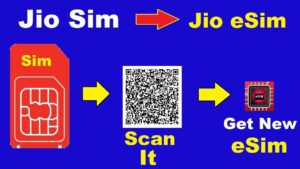
Sending the message “GETESIM” to 199 from your Jio SIM is required.

It would help if you located your IMEI and EID number in the Settings app.

Your carrier will then send you an SMS with more instructions.

A QR code will now be delivered to your registered email address.

You can now check or update your email address from your carrier’s app (MyJio App) if you need to alter your email ID.

After that, you only need to scan this QR code to finish the job.
eSIM

Unique QR code for every phone

There are variations in the scanning process for each phone, so you must follow those.

To enable e-SIM on a Samsung device, navigate to Settings > Connections > SIM Card Manager > Add Mobile Plan > Use QR Code.

On the other hand, you must select Settings > Mobile Data > Add Data Plan if you use an Apple device.

eSIM

Related Posts

Running Continuous Trading Terminals on High-Performance Virtual Desktops

July 22, 2026

Optimizing Application Routing Through High Performance Midwest Data Nodes

July 22, 2026

Juwa777 Online Casino – Best Slot Games to Play

June 7, 2026

Comments are closed.

Latest Post

Running Continuous Trading Terminals on High-Performance Virtual Desktops

July 22, 2026

Optimizing Application Routing Through High Performance Midwest Data Nodes

July 22, 2026

Juwa777 Online Casino – Best Slot Games to Play

June 7, 2026

Xbox Game Pass Core Expands Everyday Gaming Possibilities

June 4, 2026

Key Components of a Strong Network Infrastructure for Businesses

March 23, 2026
Top Post

Effective Approaches to Advertising in the Streaming Era

August 3, 2026

Why Hotels Need a Professionally Managed Background Music Strategy

July 22, 2026

Tips for Keeping Your ie777 login Secure Every Day

July 22, 2026
Facebook X (Twitter) Instagram Pinterest YouTube LinkedIn
Copyright © 2024. All Rights Reserved By Digital Splaces

Type above and press Enter to search. Press Esc to cancel.